
How to Integrate ChatGPT with Dynamics 365 Using Azure Functions (Complete 2026 Guide)
Introduction
Artificial Intelligence is transforming enterprise applications, and Microsoft Dynamics 365 is no exception. Businesses are increasingly looking to integrate conversational AI into their CRM and ERP systems to automate customer interactions, generate intelligent insights and improve employee productivity.
One of the most effective ways to achieve this is by integrating ChatGPT with Microsoft Dynamics 365 using Azure Functions. This serverless approach provides a secure, scalable and cost-effective way to connect Dynamics 365 with AI services while maintaining enterprise-grade security and flexibility.
In this comprehensive guide, you’ll learn how Azure Functions act as the bridge between Dynamics 365 and ChatGPT, explore the solution architecture, implementation steps, security considerations, practical C# examples and real-world business scenarios.
Why Integrate ChatGPT with Dynamics 365?
Dynamics 365 stores valuable business information, including:
- Customer records
- Sales opportunities
- Support cases
- Quotes
- Invoices
- Products
- Marketing campaigns
- Service requests
By integrating ChatGPT, organisations can enable users to:
- Generate professional emails
- Summarise customer conversations
- Draft proposals
- Answer customer queries
- Analyse CRM records
- Recommend next actions
- Automate repetitive communication
- Generate reports
This allows employees to spend more time on high-value activities rather than manual administration.
Why Use Azure Functions?
Azure Functions is Microsoft’s serverless computing platform that executes code in response to events without requiring infrastructure management.
Benefits include:
- Automatic scaling
- Pay-per-use pricing
- Fast deployment
- Easy API creation
- Native Azure integration
- Secure authentication
- Support for C#, JavaScript, Python and more
Azure Functions acts as a secure middleware layer between Dynamics 365 and ChatGPT.
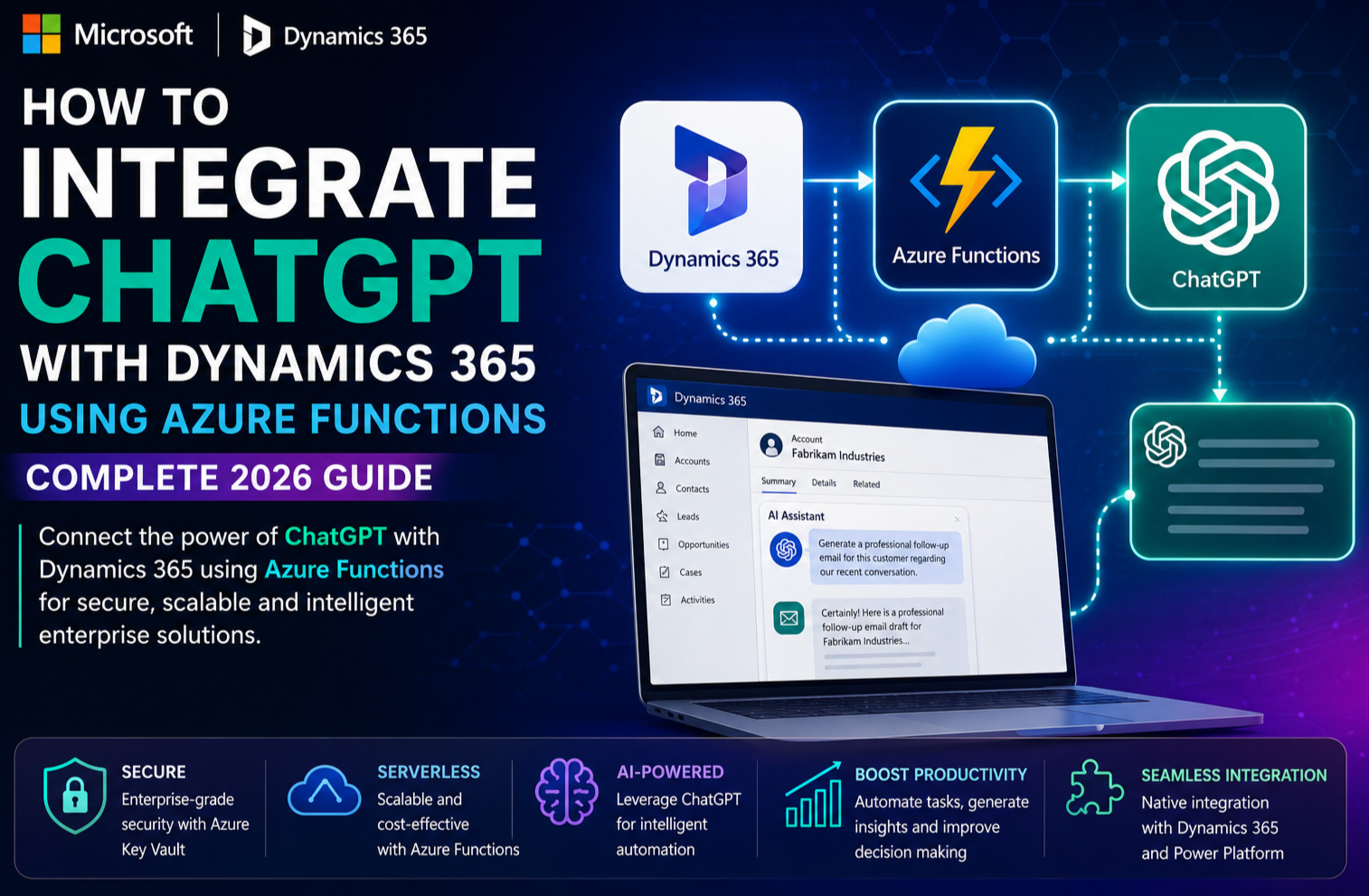
High-Level Architecture
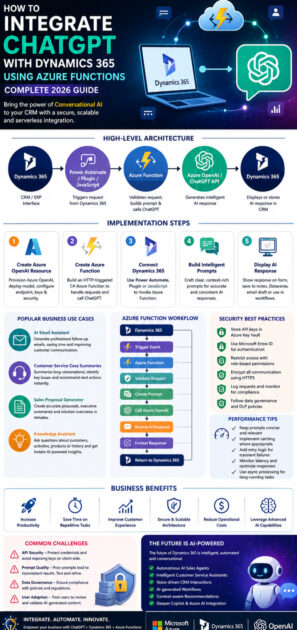
A typical integration includes the following components:
Dynamics 365
      │
      ▼
Power Automate / Plugin / JavaScript
      │
      ▼
Azure Function (C#)
      │
      ▼
Azure OpenAI / ChatGPT API
      │
      ▼
AI Response
      │
      ▼
Dynamics 365
Component Overview
Dynamics 365
Provides the CRM interface where users initiate AI-powered actions.
Power Automate, Plugins or JavaScript
Triggers requests from Dynamics 365 to Azure Functions.
Azure Function
Receives the request, validates it, prepares the prompt, calls ChatGPT and processes the response.
Azure OpenAI or ChatGPT API
Generates intelligent responses based on the supplied prompt.
Dynamics 365
Displays the generated content or stores it in CRM records.
Why Use Azure Functions Instead of Calling ChatGPT Directly?
Direct API calls from Dynamics 365 can expose sensitive information such as API keys and reduce flexibility.
Azure Functions provide several advantages:
- Secure storage of API credentials
- Centralised business logic
- Request validation
- Logging and monitoring
- Error handling
- Response formatting
- Easier future enhancements
This architecture is considered a best practice for enterprise applications.
Step 1: Create an Azure OpenAI Resource
Begin by provisioning an Azure OpenAI resource in your Azure subscription.
Configure:
- Azure OpenAI Service
- AI model deployment
- Endpoint URL
- Authentication keys
- Network security
This service will process prompts and return AI-generated responses.
Step 2: Create an Azure Function
Develop an HTTP-triggered Azure Function using C#.
Responsibilities include:
- Accept requests from Dynamics 365
- Validate authentication
- Build AI prompts
- Send requests to Azure OpenAI
- Return structured responses
Azure Functions can also integrate with Azure Key Vault to securely retrieve API credentials.
Step 3: Connect Dynamics 365
There are several ways to invoke the Azure Function from Dynamics 365.
Option 1 – Power Automate
Power Automate calls the Azure Function whenever:
- A lead is created
- An opportunity changes
- A case is updated
- A quote is generated
This approach is ideal for low-code implementations.
Option 2 – Dynamics 365 Plugin
A C# plugin can invoke the Azure Function during business events such as:
- Record creation
- Record updates
- Workflow execution
This provides tighter integration and greater control over business logic.
Option 3 – JavaScript Button
Add a custom ribbon button in Dynamics 365.
When users click the button:
- CRM data is collected.
- The Azure Function is called.
- ChatGPT generates a response.
- The result is displayed or saved automatically.
This is useful for on-demand AI actions.
Step 4: Build Intelligent Prompts
Prompt engineering is critical for high-quality AI responses.
Example prompts include:
Sales Email
Generate a professional follow-up email for this customer.

Customer:
ABC Manufacturing

Opportunity:
Dynamics 365 CRM Implementation

Tone:
Professional and friendly
Case Summary
Summarise the following support case into five concise bullet points.Proposal Generation
Generate an executive summary for this Dynamics 365 implementation proposal.Well-structured prompts lead to more relevant and consistent AI-generated content.
Step 5: Display the AI Response
The generated response can be:
- Displayed on a custom form
- Stored in Dynamics 365 notes
- Saved in Dataverse
- Added to an email draft
- Used within Power Automate workflows
- Included in dashboards or reports
This enables users to review and edit AI-generated content before taking action.
Sample Business Scenarios
1. AI Email Assistant
A salesperson opens a Lead record.
The user clicks Generate Follow-Up Email.
The Azure Function:
- Retrieves customer details
- Creates a prompt
- Sends it to ChatGPT
- Returns a polished email draft
The salesperson reviews the content before sending it.
2. Customer Service Case Summaries
Support engineers often manage lengthy conversations.
Azure Functions send case details to ChatGPT, which generates:
- Issue summary
- Customer concerns
- Resolution steps
- Suggested next actions
Support staff save significant time while maintaining consistent documentation.
3. Sales Proposal Generator
Opportunity information from Dynamics 365 is sent to Azure Functions.
ChatGPT automatically generates:
- Executive summary
- Scope of work
- Business benefits
- Proposed solution
- Closing statement
Sales teams can produce high-quality proposals in minutes.
4. Knowledge Assistant
Employees ask questions such as:
- What products has this customer purchased?
- Summarise recent activities.
- Explain this support history.
- Recommend the next sales action.
Azure Functions retrieve CRM information and provide AI-generated insights based on available business data.
Sample Azure Function Workflow
Dynamics 365
        ↓
Trigger Event
        ↓
Azure Function
        ↓
Validate Request
        ↓
Create Prompt
        ↓
Call Azure OpenAI
        ↓
Receive AI Response
        ↓
Format Response
        ↓
Return to Dynamics 365
This workflow keeps AI integration modular, secure and easy to maintain.
Security Best Practices
Enterprise AI integrations should prioritise security and governance.
Recommended practices include:
- Store API keys in Azure Key Vault.
- Use Microsoft Entra ID for authentication.
- Restrict access using role-based permissions.
- Encrypt all communication using HTTPS.
- Avoid sending unnecessary sensitive information to AI services.
- Implement request logging and monitoring.
- Apply data loss prevention (DLP) policies where appropriate.
These measures help protect business data while supporting compliance requirements.
Performance Optimisation Tips
To improve response times and scalability:
- Keep prompts concise and relevant.
- Reuse Azure Function instances where possible.
- Cache repeated responses when appropriate.
- Monitor API latency and failures.
- Implement retry logic for transient errors.
- Use asynchronous processing for long-running tasks.
Business Benefits
| Feature | Business Benefit |
|---|---|
| AI Email Generation | Faster customer communication |
| Proposal Automation | Reduced document preparation time |
| Case Summaries | Improved support productivity |
| Sales Recommendations | Better decision-making |
| Azure Functions | Scalable serverless architecture |
| Secure API Layer | Enhanced security and governance |
| Prompt Automation | Consistent AI responses |
| Dynamics 365 Integration | Seamless user experience |
Common Challenges
API Security
Protect credentials by storing secrets securely and avoiding client-side exposure.
Prompt Quality
Poorly designed prompts may produce incomplete or inconsistent results. Test and refine prompts regularly.
Data Governance
Ensure AI only processes data that complies with organisational policies and regulatory requirements.
User Adoption
Train users to understand AI-generated content and verify important outputs before use.
Future of AI Integration with Dynamics 365
Microsoft continues to enhance AI capabilities across Dynamics 365, Power Platform and Azure AI.
Future innovations are expected to include:
- Autonomous AI sales agents
- Intelligent customer service assistants
- Voice-driven CRM interactions
- AI-generated workflows
- Context-aware business recommendations
- Deeper integration with Microsoft Copilot and Azure AI Foundry
- Advanced predictive analytics
These capabilities will further streamline business operations and improve customer experiences.
Conclusion
Integrating ChatGPT with Microsoft Dynamics 365 using Azure Functions is a powerful way to bring conversational AI into enterprise business applications. By introducing a secure, scalable serverless layer between Dynamics 365 and AI services, organisations can automate repetitive tasks, generate intelligent content and provide employees with actionable insights without compromising security or flexibility.
From drafting sales emails and summarising support cases to generating proposals and delivering AI-powered recommendations, the possibilities are extensive. With Azure Functions handling orchestration and Azure OpenAI providing advanced language capabilities, businesses can build intelligent CRM solutions that improve productivity, enhance customer engagement and accelerate digital transformation.
As AI becomes a standard component of modern business applications, adopting this integration approach today will help organisations remain competitive in 2026 and beyond.









