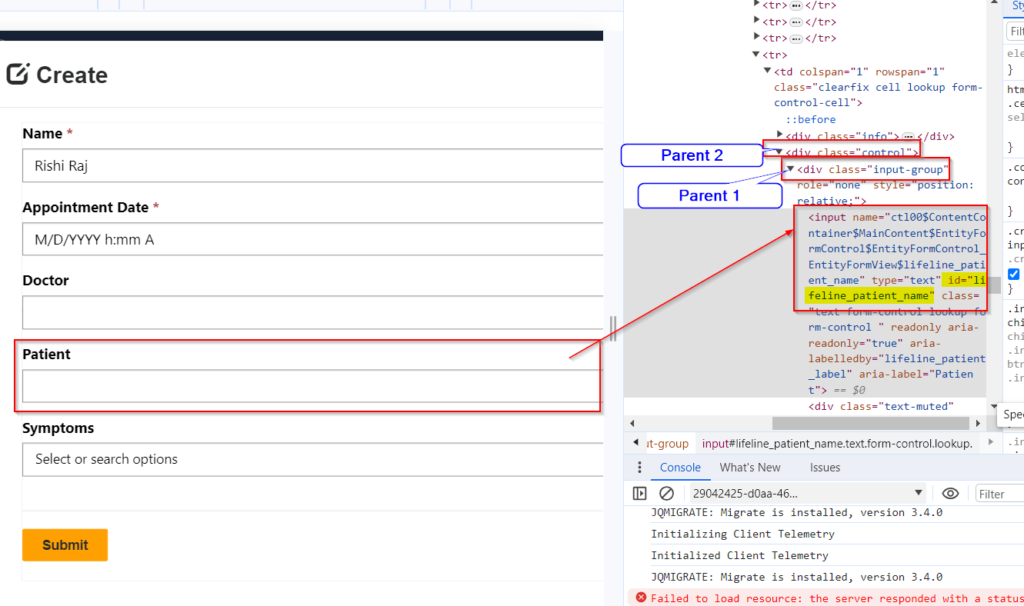
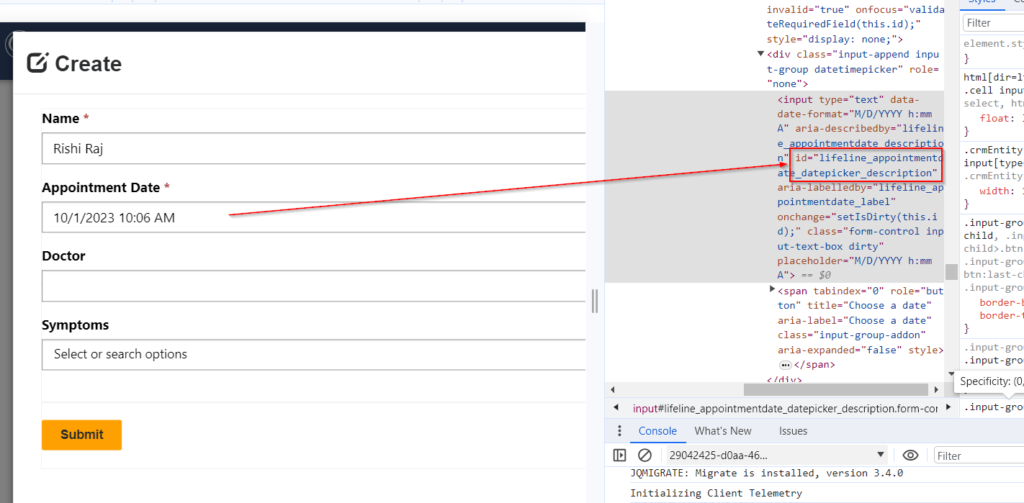
Trigger onchange event of DateTime field in power pages /power portal using JQuery
Handling change event in jQuery for Date Time fields is not straight forward like normal text fields. Use following method to handle onchange. Hope this helps.
Handling change event in jQuery for Date Time fields is not straight forward like normal text fields. Use following method to handle onchange. Hope this helps.
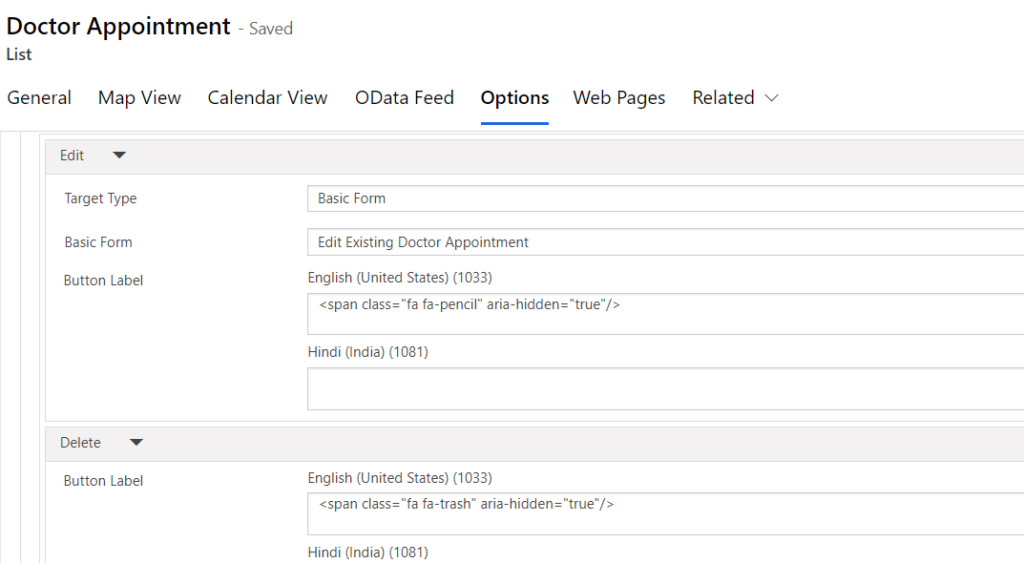
Add the below Span tags in your action labels. Next add below CSS in web page.
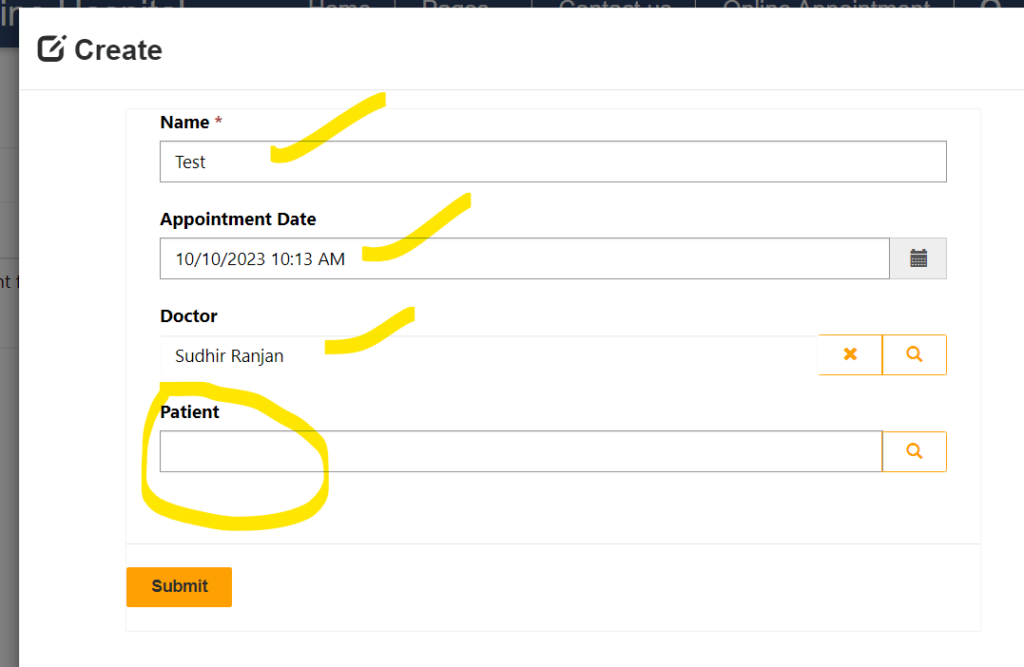
Sometimes there is a business need that you need to create a Dataverse record which contains a contact lookup. For example the below form contains a lookup field Patient. Here for my case Contact entity display name is Patient. The business need is, when a new record is created using above form, the Patient lookup…
Read more
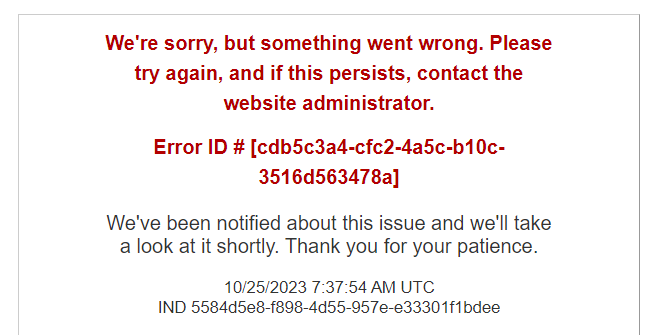
Sometimes you can get error as below in Power Pages. “Something went wrong” issue. To troubleshoot this issue, Disable Custom Error and check the exact error. Follow steps below. Step 1 – Open https://make.powerpages.microsoft.com/ and select correct environment and select the power page and select 3 dots to open Admin Center. Step 2 – In…
Read more
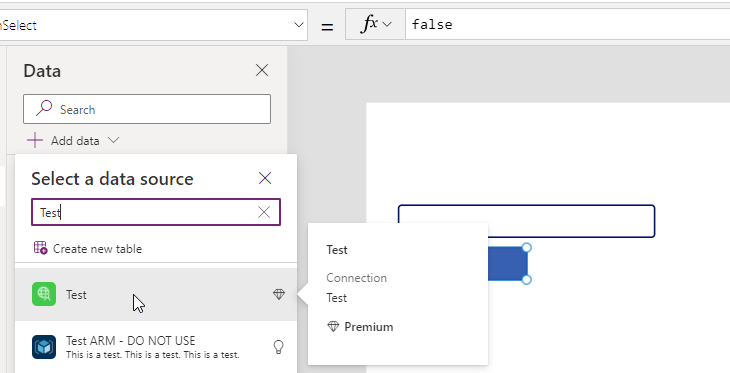
You can use C# code in a custom connector and which can be called as a connector from power apps or power automate. Follow these steps. Step 1 – Create a Custom connector with Name and Host Step 2 – Add No Security for this Step 3 – Add Definition Request Add Request option using…
Read more
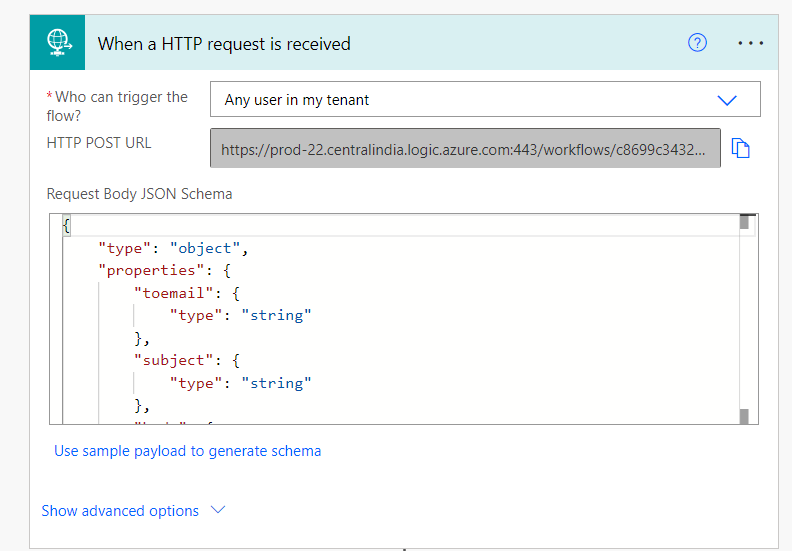
Microsoft newly introduced a Security feature for Request trigger by using which you can secure the WEB API Calls in Power Automate with HTTP Calls. Follow below Steps. Step 1 – Configure a Flow with Request Trigger Step 2 – Use below JSON to generate Schema Step 3 – Add Send Email step and connect…
Read more
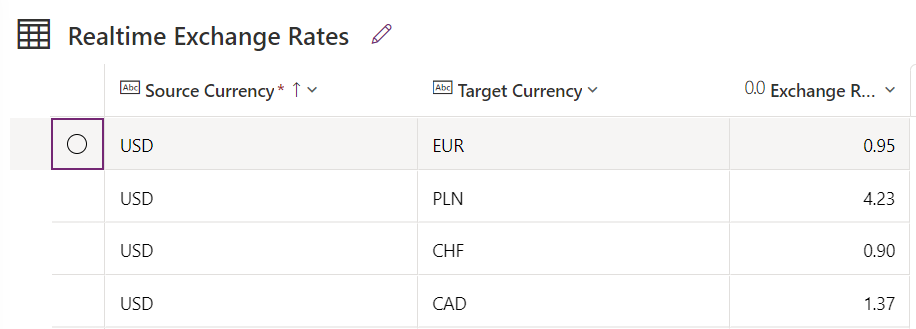
In this example, you will come to know how to use Do until loop in Power Automate when you want to run LOOP for a specific condition met. Scenario: Need to Build a Flow which will get JSON response from a Third Party Web API request called as Currency Layer to get Live Exchange Rates…
Read more
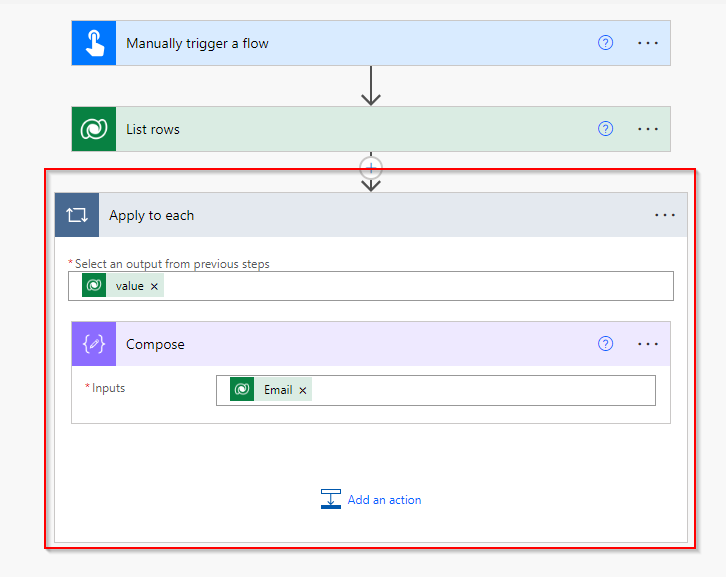
Problem Statement When you retrieve a record from Dataverse or any data source by using filter condition using List Rows, it returns the matching records from the table which you can use loop for further action steps in Power Automate. But sometimes when you have no primary key value with you and you want to…
Read more

In this Post, you will see how you can use Array manipulation using Array Filters, Loops, Variables and SetProperty Scenario in Power Automate. Scenario: We have the below records in the table. There may be multiple records for a single doctor with patient count 1 for every row. The requirement is to send a consolidated…
Read more
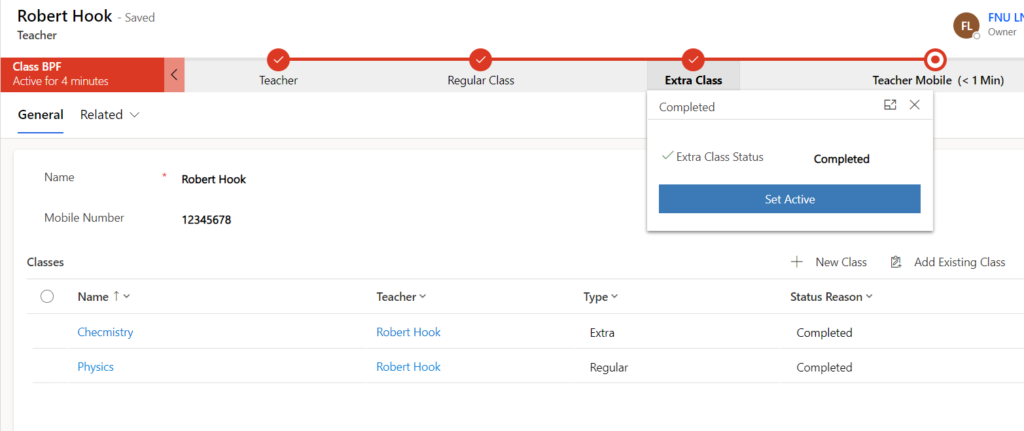
In this Post, you will come to know how to Automatically Set the Active Stage and Move the stages automatically as per child record field update. Business Requirement There is a business use case, which tells that, there are two table Teacher (1) and Classes (N) . Every time a Teacher is created in the…
Read more
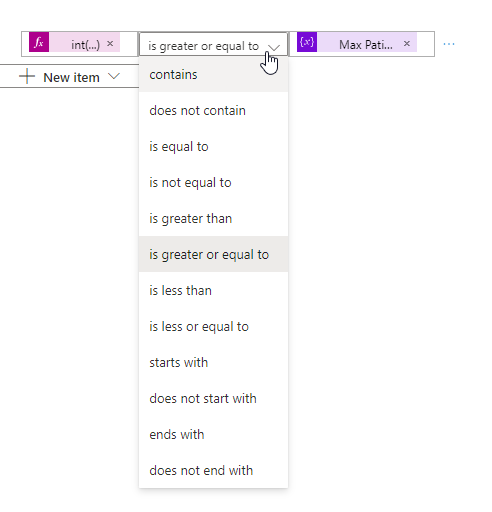
Here is a list of operators you can use in condition step in Power Automate. Hope it helps.

If you want to know how to Work with Variables, Control Flow and Loops with Power Automate in Excel Sheet Data Source watch the below video. Hope this helps.
You can Pass parameters to Model driven app form from Custom Page in Power Apps. Watch the video below to learn more. Hope this helps.
While developing Plugins in Dynamics 365/Dataverse you have to follow some important Best Practices as explained by Microsoft. Here is a list of Best Practices. Hope this helps.
you can set a current view using JavaScript. use below code. The object type code for the SavedQuery (1039) or UserQuery (4230) that represents the view the user can select. Hope this helps.
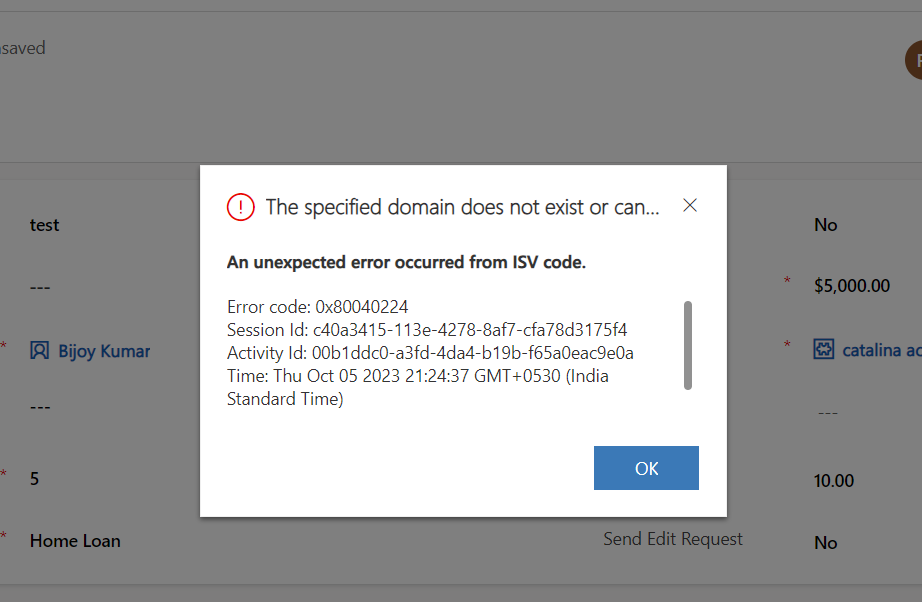
When your plugin shows the below error you can find solution below. If Dynamics Online or Dataverse Online use this solution. Instead of using ExecuteMultiple, use Execute method. do not use batch processing. If Dynamics On-promise use this solution. Instead of using Isolation Mode as Isolation, use None as Isolation mode. do not use isolation.…
Read more
You can use environment variables to store temporary configurable values for a specific environment but if you want to read using C# code you can use the below code.
Auto Refresh Access Token with Web API request to Dataverse/ Dynamics CRM Web API C# . Read more in this article. hope this helps.
to open quick create form on command button click use below code. watch video here. Open quick create form on command button click JS power apps hope it helps.
Here is a ER Diagram for the typical Health Care Project.
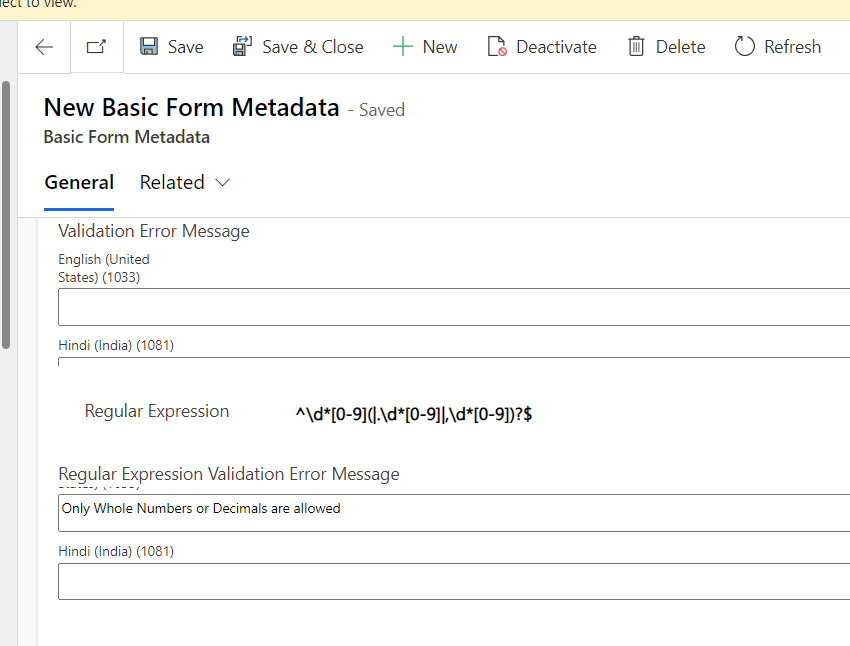
To use form validation, to allow only numeric values in a field you can use Regular Expression in Form Metadata. Use below Regular Expression in Form Metadata. Now once you see live site you will see the result. Hope this helps.
Custom Workflow v/s Custom Action v/s Custom API Custom Workflow Custom Action Custom API Private Scope Not Applicable No Support Supported API Type Not Applicable No Support – Always Action Supported – Function/Action Code First Approach Not Applicable No Support Supported Data Types of parameters More Data Types Less Data Types More Data Types setup …
Read more
In this topic you will come to know How to Debug Async Plugins in Dataverse for Power Apps,. Check the below article to know more details Thanks to Rajeev for the explanation. Hope this helps.
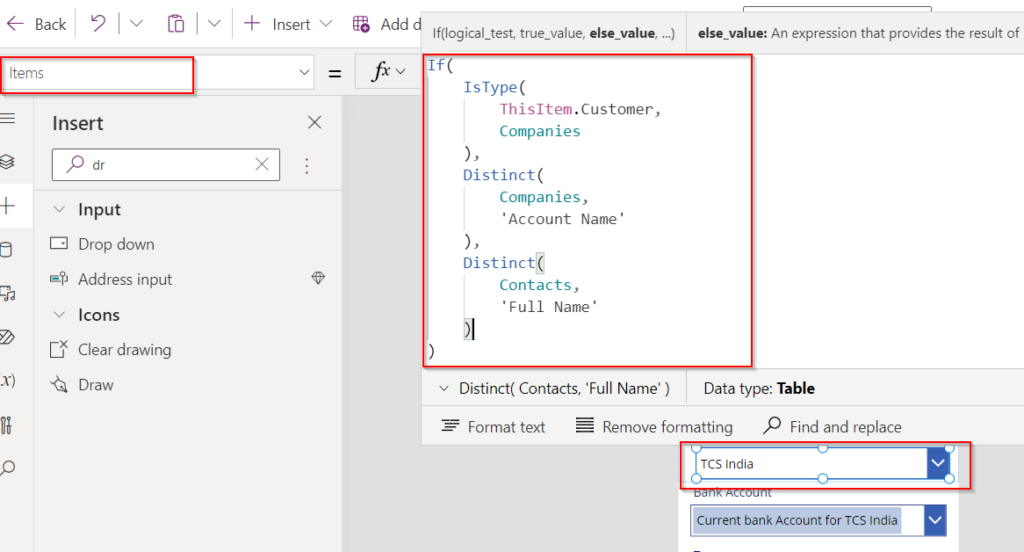
Use following PowerFX. Use a Dropdown for Customer Data Type in custom card of the form. For the Drop Down in Items Property Use below formula to populate dynamic values. On Items property add below code. On Default property add below PowerFX to auto populate selected value from record. On Custom Card Update property use…
Read more

Get New Blog Notifications in Email.. Fill out the form below to get a quick callback.